Find your way around
Use the overview, module navigation, and farm search to reach the right record.
Open in MilkSageRead the overview
- Open Overview from the side navigation.
- Review total animals, milk today, milking progress, pregnancy checks, calves, and stock alerts.
- Use Today’s attention and Upcoming work to identify records and tasks that need a closer look.
- Review the milk production chart for the displayed period, then open Milk records for individual animal entries.
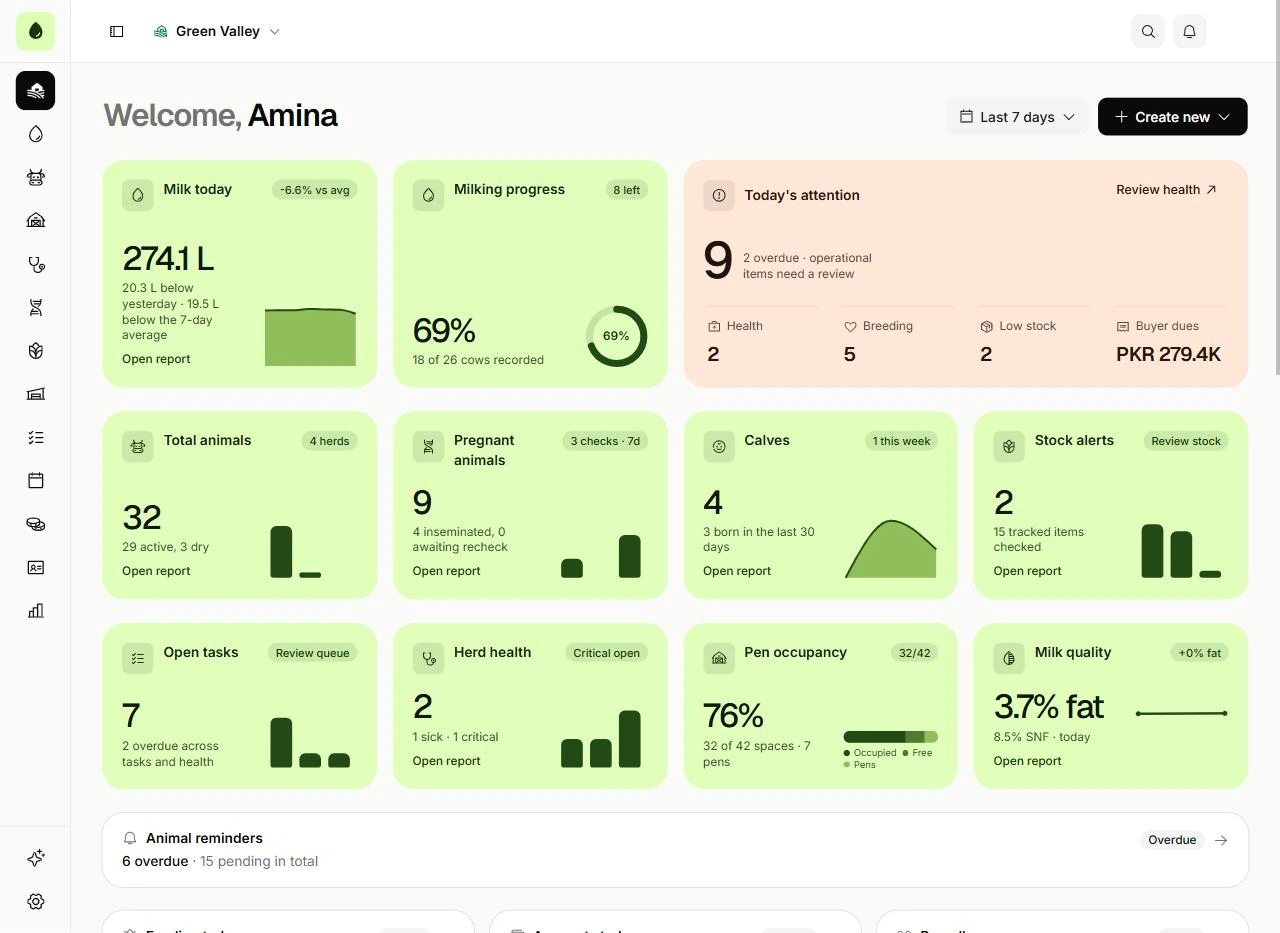
Your daily farm overview
Overview · Sample workspace
- Start with Milk today and Milking progress to check the day’s capture.
- Use Today’s attention and Upcoming work to decide what to open next.
Open a module or record
The side navigation contains Milk records, Animals, Herds & pens, Health, Breeding, Feeding, Inventory, Tasks, Accounts, and Payroll. Reports brings the records together. AI assistant and Settings are at the bottom. Each module uses tabs for its internal views.
Find missing records
Check the active farm, search text, selected date, and status filters first. Use the search control in the top bar to find farm records. Where a list offers more results, load them before assuming a record is missing.
Related guides
Record and correct daily milk
Enter morning, noon, and evening litres for each animal and review production history.
Assign tasks and recurring work
Manage the team’s open work, completion history, and schedules.
Resolve common problems
Check farm context, access, dates, and record state before retrying an operation.