Milk & production
Review milk quality and targets
Keep quality measurements and expected daily yields alongside production.
Open in MilkSageRecord quality
- Open Milk records → Quality.
- Choose Record quality, enter the date, and select Daily or Session scope. For Session, choose the milking session. Enter Fat %, SNF %, Lactometer, and any notes.
- Choose Record quality and review the reading. Use Correct reading when a saved measurement needs correction. Reading dates cannot be in the future.
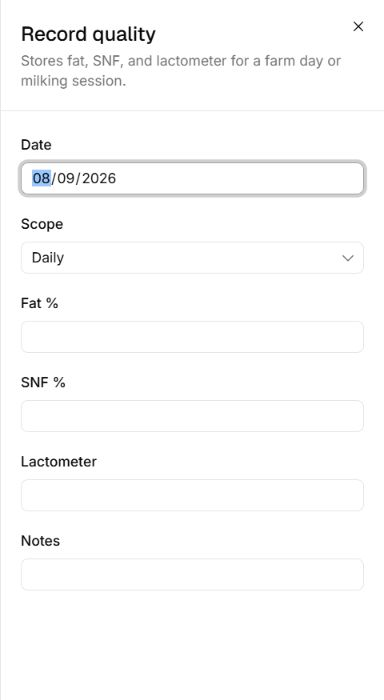
Choose the scope of a reading
Record quality · Entry fields
- Daily applies to the farm day. Session reveals a choice of milking session.
- Fat % and SNF % are percentage readings; Lactometer has its own field. Enter measured values in their corresponding fields.
Set production targets
- Open Milk records → Targets and create a target. Choose its Scope and the relevant herd, pen, or animal when requested.
- Enter Daily target (liters), Effective from, and Effective until, then choose Save target. Settings → Milk also provides the farm-wide default for animals without their own target.
- Compare recorded production with the appropriate target. A target is an expectation, not an entry of milk produced.
Related guides
Record and correct daily milk
Enter morning, noon, and evening litres for each animal and review production history.
Adjust farm settings and notifications
Maintain operational defaults, document details, notifications, and the audit log.
View and download reports
Choose a report, set its parameters, and download a snapshot of farm records.