Workspace & support
Use the farm assistant
Ask about the active farm and review proposed changes before applying them.
Open in MilkSageStart a conversation
- Open AI assistant and start a new chat or select an existing conversation.
- Ask a specific question, including the animal tag, date, or group when relevant. You can also begin with one of the suggested prompts.
- Send the message and review the response and any returned records or reports.
- Use Search chats to return to an earlier conversation.
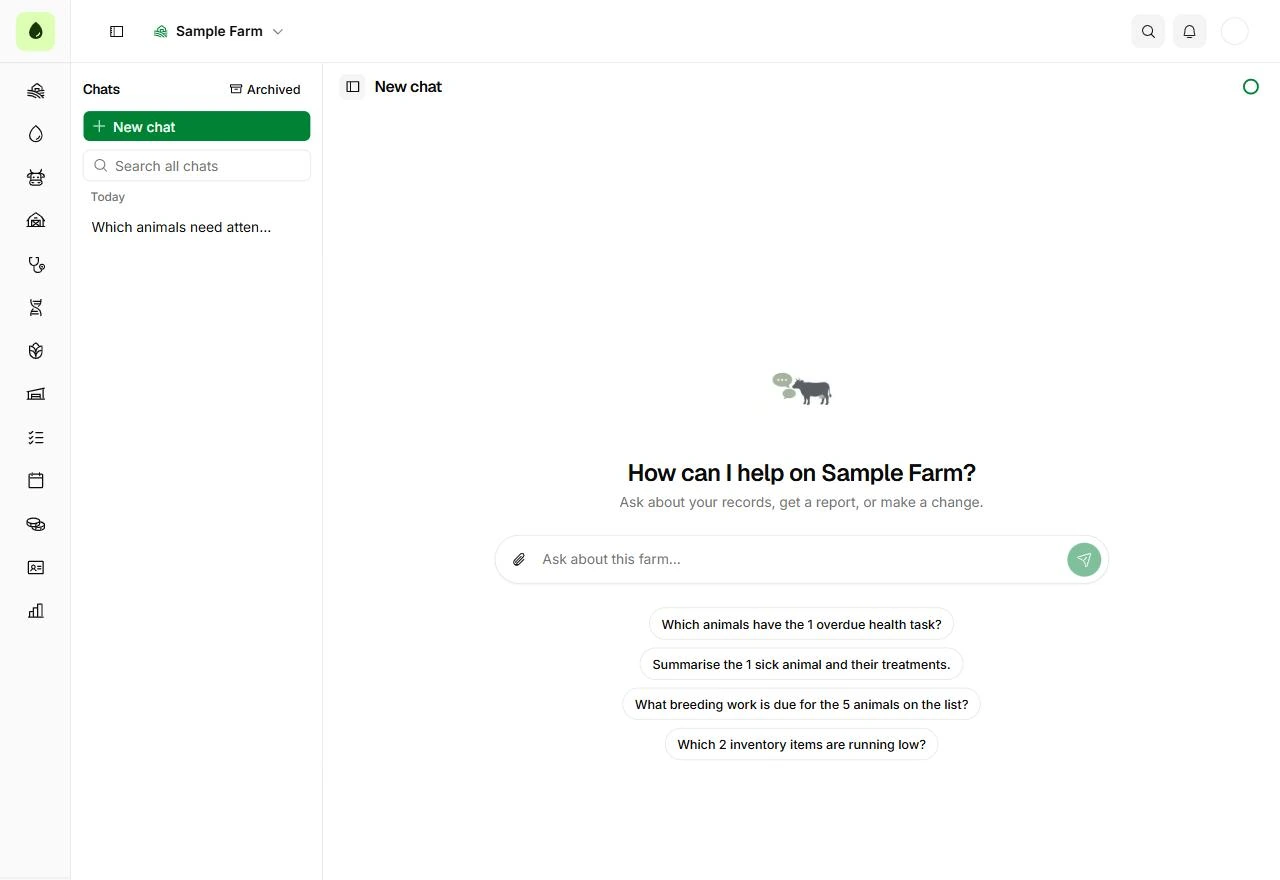
Begin with a specific farm question
AI assistant · New conversation
- Use a suggested prompt or type your own question in the composer.
- Include the relevant animal tag, date, or group so the conversation has a clear subject.
Review a proposed change
- When a Proposed change card appears, read its action and every displayed field.
- Choose Apply only if the proposed operation matches your intention and you have write access. Choose Skip to decline it.
- If the proposal expires, ask the assistant to propose it again.
- Review the resulting record in its module after the operation completes.
Before you continue
An assistant proposal is not proof that a change has been saved. Check its result and the underlying farm record.