Work & finances
Assign tasks and recurring work
Manage the team’s open work, completion history, and schedules.
Open in MilkSageCreate and complete a task
- Open Tasks → Open and choose Add task.
- Enter the title, notes, due information, and an assignee when appropriate. Tasks can also remain unassigned.
- Save and review the task in the Open list or Calendar.
- Use the task’s status action when work is done or cancelled. Done tasks can be reopened or archived; cancelled tasks remain listed until archived.
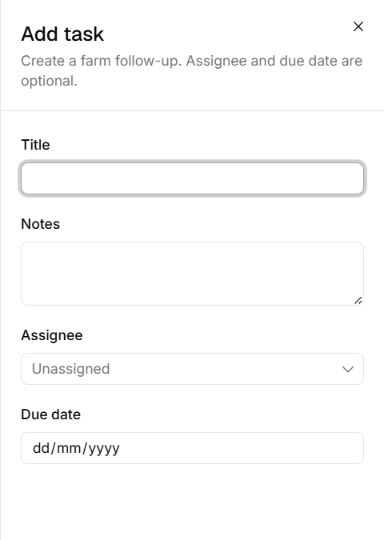
Give the task a clear next action
Tasks → Add task · Entry fields
- Use Title for the work to do and Notes for supporting instructions.
- Assignee and Due date are optional. Choose a team member when someone is responsible; otherwise the task remains unassigned.
Schedule repeating work
- Open Schedules and choose Add schedule.
- Enter the schedule name, repeat interval in hours, and task title and notes.
- Choose the assignee and next run date and time.
- Save and review the schedule. Use its available edit or archive actions when the recurring work changes.
Check the calendar
Use Calendar from Tasks to review dated farm work. Check the due date and assigned person when a task appears overdue or on an unexpected day.